
OopBuy QC Photos: Choose the View That Could Change Your Decision
Use OopBuy QC photos to answer a question about the item assigned to your order. First match the article and selected option; then decide which feature needs checking. A detailed image of somebody else's purchase cannot establish the condition of your own unit.
Begin with the reason you chose the item
If a graphic was the main attraction, inspect the visible print and its position. If the fit depends on length, you need a suitable measurement rather than another close-up of the label. A broad request to confirm that everything is good can leave the important question unanswered.
The white floral-lightbulb graphic T-shirt is a product reference for discussing a design. It is not a QC image from your order. Do not interpret a catalogue photograph as proof that the same condition, size or print placement has been checked on your item.
Match the image to the uncertainty
Use a whole-item view to establish context, then a closer view for the specific area. A seam concern needs the relevant seam, not a sharper photograph of a different part of the garment. If a suspected mark appears only in shadow, ask for a view that makes the area clearer before describing a defect as confirmed.
For measurements, the image should show both endpoints and the unit. Perspective, folds and a cropped tape can make a number difficult to interpret. The size guide explains why a flat garment width and a body measurement are different comparisons.
When checking a pair of shoes, make sure you are looking at the pair and selected option rather than carrying an observation from one image onto every saved shoe candidate. The shoe guide links those checks with later packing decisions.
For a separate footwear candidate, open the white-and-black Superstar listing. Use its listing identity to decide which item you mean before requesting a view of the toe, sole or size label. It is not established as the pair in the community photograph below. If its options are still loading, do not infer your size from the listing title or someone else's label.
Separate a request from its result
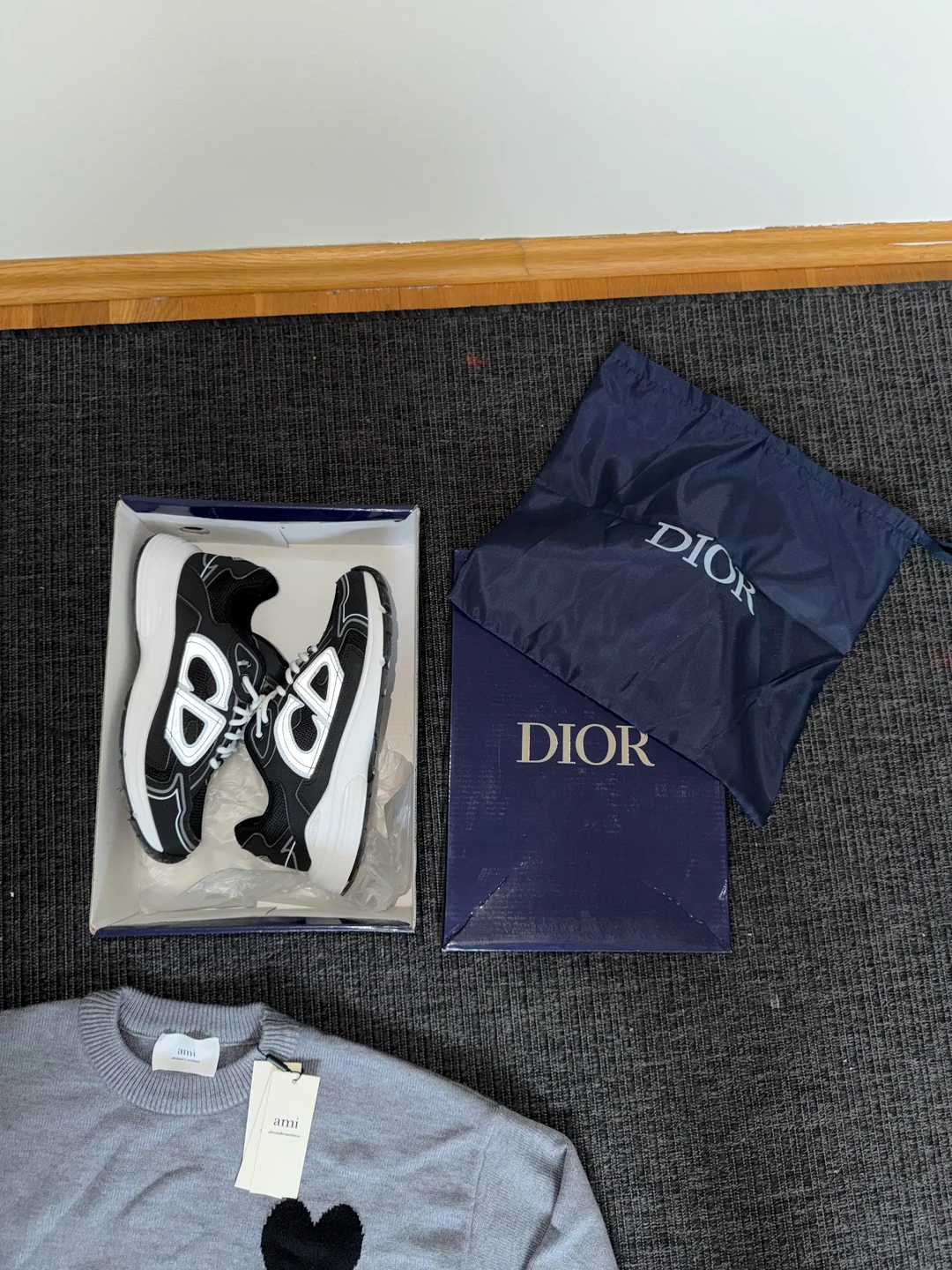
This photograph belongs to the community post “First oopbuy order to Sweden,” inspected on 27 September 2026. It is a received-item display rather than a verified warehouse QC record. The box view shows the shoes and visible packaging together; it does not show the outsoles, an interior size label or the measurements needed to settle a fit question. Brand names on packaging do not authenticate the goods.
If the missing view matters to your own purchase, request that specific view for your order. Do not use this community picture as proof that the same box, accessories or condition will accompany another listing, including an OG destination.
If you ask for an additional photo or measurement, confirm what service is available and whether there is a charge before ordering it. A message acknowledging your question does not show that the requested view has been produced. Compare the returned image with the question you actually asked.
If it still does not answer that question, explain the remaining gap to support. For example, identify the missing start of a measurement rather than repeatedly asking for better QC. Do not invent a value from the part of the tape that happens to be visible.
Keep conclusions within what can be seen
A clear image can show a visible feature without proving durability, comfort, hidden construction or authenticity. A logo does not change that limit. Likewise, a size label confirms its visible text, not whether the garment fits your body.
A QC finder result, where available, also needs an item and variant match. Older public images may concern another purchase; their presence beside a link does not turn them into your inspection. Use the links guide if the product destination has changed.
Share the concern without sharing the account
Remove names, account details, addresses, order references and readable codes from images you post publicly. Inspect the saved copy, including small labels and surrounding panels. Keep the original private for any necessary verified support conversation. Removing personal details does not establish permission to reuse another person's photograph.
Resolve the item decision before using a shipping offer as a reason to move ahead. The warehouse guide concerns which goods are ready for a parcel; the buying guide places QC within the wider process. Return to the OopBuy spreadsheet if you need a different candidate instead.